TL;DR
- Aircall call dispositions convert subjective verbal conversations into structured, real-time data inside your CRM with factual accuracy.
- By replacing lengthy post-call note-taking with quick, standardized tag selection, reps save hours of weekly selling time while maintaining perfect data hygiene.
- Organizing dispositions into distinct categories strips dead weight from the pipeline, creating defensible forecasts.
- Clean disposition data enables seamless lead handoffs, ensures opportunities never slip through the cracks, and replaces vanity metrics with clear visibility into true productivity.
- To prevent system failure, teams must keep tag libraries concise (10–15 options), mandate critical tags, and sync outcomes directly to CRM pipeline reports.
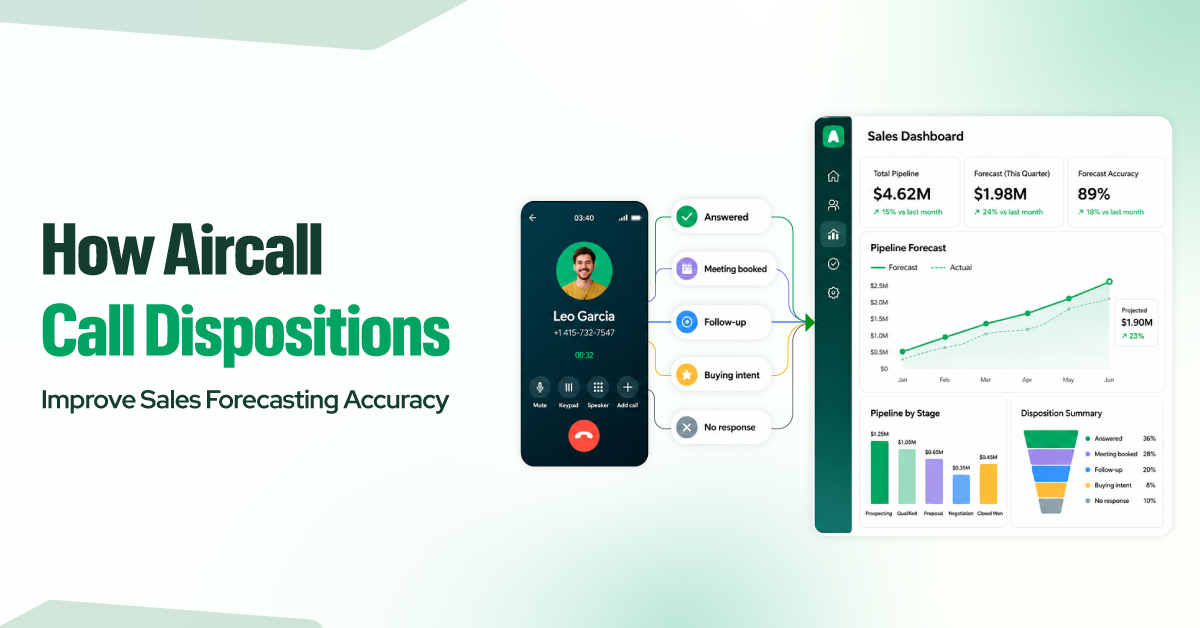
With Aircall call dispositions, sales teams can keep track of what actually happened on each call – whether a prospect answered, booked a meeting, asked for a follow-up, showed some buying intent, or essentially went cold.
This makes forecasting easier because your pipeline reports are based on real call outcomes rather than guesswork. But it only works when calls are tagged consistently.
For example, a note like “Good chat, follow up next week” sounds positive, but it does not indicate whether the deal has moved forward, requires action, or is at risk. Over time, unclear updates like this make forecasts harder to trust.

Aircall call tags can be a handy solution in such scenarios. By turning call outcomes into standardized CRM data, they give sales managers a cleaner view of pipeline activity and help revenue teams make more reliable forecasts.
What Is a Call Disposition?
A call disposition is the recorded outcome of a phone call. It tells your team what happened after the conversation ended.
Common examples include “Interested,” “Left voicemail,” “No budget,” “Demo booked,” or “Follow-up needed.” Each one gives sales managers a clear answer to a simple question: What was the result of this call?
Call dispositions matter because they turn daily sales conversations into structured data. Instead of relying on memory or vague CRM notes, reps can capture the outcome of each call in a consistent format.
That consistency helps teams plan follow-ups, review rep activity, measure call quality, and improve sales forecasting. When every call has a clear outcome, managers get a more accurate view of pipeline health and revenue potential.
How Call Dispositions Work in Aircall
Aircall doesn’t have a field literally called “disposition.” Instead, it uses call tags, which do the exact same job. A tag is a label you attach to a call, and you can build a tag library that mirrors the outcomes your sales process cares about. Your tags are your disposition codes if set up correctly.
This matters because it means you don’t need a separate tool or a complicated integration to start dispositioning calls. The capability is already inside the phone system your reps use every day.
Understanding Aircall Call Tags

Call tags are customizable labels that reps apply to calls after a conversation wraps up. Each one should represent a real sales outcome – a booked meeting, no answer, follow-up requested, not interested, decision-maker reached, and many more.
In practice, this gives sales and ops teams a shared language for call outcomes, since they can use the exact same outcome tag.
For managers, this means less time agonizing over notes and more time acting on reliable data. For reps, it means they can quickly log a call’s result without writing long updates after every conversation.
Managing Tags in the Aircall Dashboard
Admins manage tags in the Aircall dashboard, including creating, renaming, archiving, and organizing them.
The main benefit is control. When every rep uses the same approved outcomes, reporting becomes cleaner and easier to trust. A well-managed tag library also reduces duplicate labels, prevents confusion, and saves sales operations teams from fixing messy CRM data later.
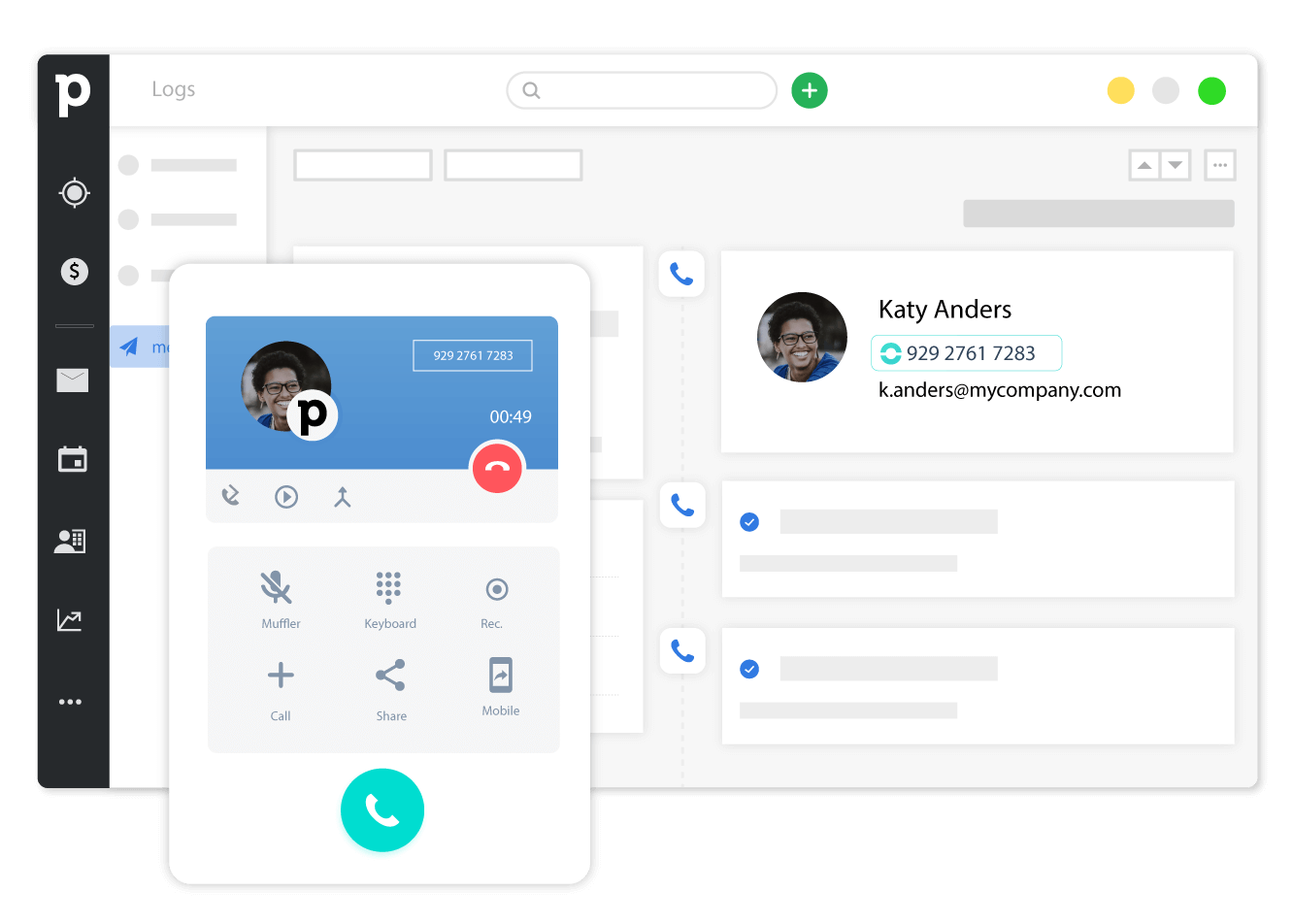
Applying Tags After a Call
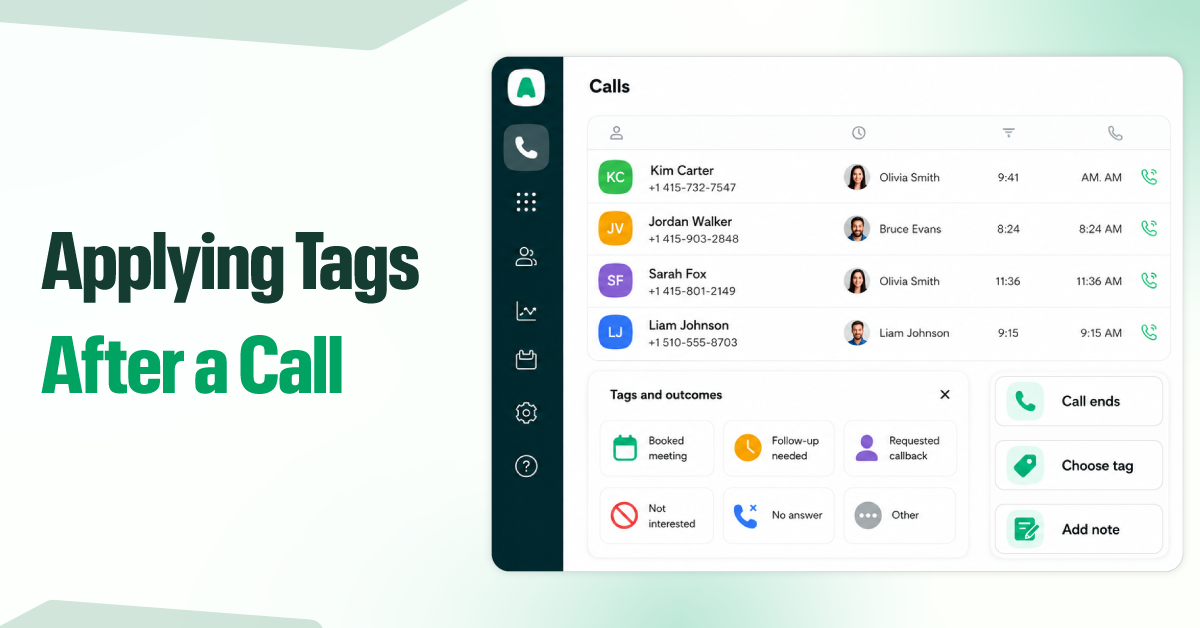
After a call ends, Aircall prompts the rep to select an outcome, add a quick note if needed, and move on. This works because the call is tagged while the outcome is still fresh. The process takes only a few seconds, improving adoption and leading to cleaner CRM records, stronger reports, and more reliable forecasts.
AI Auto-Tagging (Premium feature)
Aircall’s AI auto-tagging can analyze call content and suggest or apply tags based on what was said during the conversation. This saves reps time, reduces rushed or inaccurate tagging, and helps high-volume teams maintain consistent call outcomes. It does not replace human judgment, but it improves data quality with less manual effort.
Note: Automatic call tagging is available only on the AI Assist Pro plan, and only agents with that license receive auto-tagged calls; anyone without it is tagged manually.
Mandatory Tagging
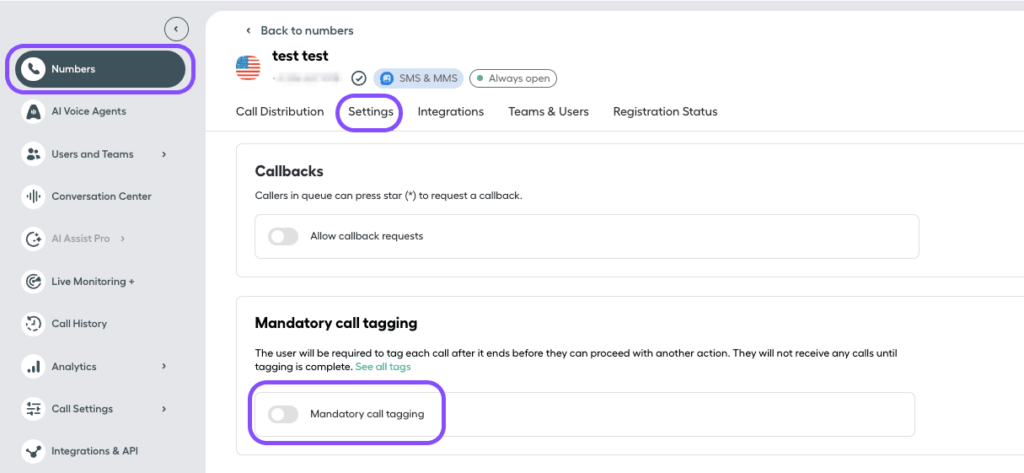
Aircall lets you choose whether call tagging is optional or required. With mandatory call tagging, available on the Professional and Custom plans, agents must select an outcome before closing a call.
For sales teams that rely on clean data, this setting is important. It adds only a few seconds to the agent workflow, but it helps prevent missing call outcomes and keeps forecasts from being built on guesswork.
The Disposition Categories & Code Examples That Drive Forecast Accuracy
The best teams organize dispositions into clear categories, each one feeding a different bit of the forecast. Not all tags carry the same weight. Aircall lets you create your own custom call tags, so these specific codes are just examples of how you might set things up, not built-in defaults that come with Aircall.
Below are a few examples of categories with tag codes – short, consistent labels that you can standardize across your team and map straight into your CRM so the outcome travels with the record.
Connected Outcomes — Positive
When a rep applies one of these, deal probability climbs up and the forecast tightens around a likely close. A “demo booked” tag is worth far more than a generic “good call” note; it signals concrete forward motion you can weigh accordingly.
| Disposition | Example Tag Code | What It Signals |
| Interested | CONN-INT | Prospect wants to learn more |
| Demo Booked | CONN-DEMO | A meeting is on the calendar |
| Decision-Maker Reached | CONN-DM | Spoke with the person who can buy |
| Verbal Commitment | CONN-VC | Prospect signaled intent to move forward |
Connected Outcomes — Negative
Negative dispositions get a bad rap, but they’re forecasting gold. They let you strip dead weight from the pipeline fast, so you’re not inflating projections with deals that have zero chance. A lean, honest pipeline forecasts far better than a bloated, hopeful one.
| Disposition | Example Tag Code | What It Signals |
| Not Interested | CONN-NI | Prospect declined |
| No Budget | CONN-NB | Financial barrier, possible future revisit |
| Bad Fit | CONN-BF | Doesn’t match your ideal customer |
| Competitor Locked In | CONN-COMP | Already committed to a rival |
Activity States — No Live Conversation
These calls reached no humans, so they shouldn’t influence deal probability at all. But they absolutely belong in your activity reporting. Tracking them reveals whether reps are reaching people or just dialing into the void. If 70% of attempts hit voicemail, your problem isn’t pitching; it’s contact timing.
| Disposition | Example Tag Code | What It Signals |
| Voicemail | ACT-VM | Left a message |
| No Answer | ACT-NA | Rang with no pickup |
| Busy Line | ACT-BUSY | Line was occupied |
| Wrong Number | ACT-WN | Contact data needs cleaning |
Follow-Up Required
These keep opportunities alive without overstating them. They tell your forecast, “this is real but not ready,” parking the deal in the right pipeline stage instead of prematurely counting it as won or writing it off.
| Disposition | Example Tag Code | What It Signals |
| Call Back | FU-CB | Reconnect at a set time |
| Send Proposal | FU-PROP | Quote or contract owed |
| Nurture | FU-NUR | Keep warm for a longer cycle |
| Follow Up Next Quarter | FU-NQ | Real, but on a longer timeline |
When these categories are reported separately, leadership can instantly see the difference between “we made 500 calls” and “we created 40 real opportunities.” That distinction is where forecast accuracy lives.
Business Benefits of Using Call Dispositions in Aircall
Forecasts You Can Actually Defend
Every disposition that syncs with your CRM turns a wild guess into a verifiable fact. Across a quarter, that’s thousands of accurate data points instead of a bunch of scribbled notes that are days late and utterly useless.
When you’re in a forecast review, instead of trying to defend a number that you have a sneaking suspicion is wrong, you’re pointing at hard conversion ratios that are drawn from real-life call outcomes. Your forecast stops being a story you hope holds up and becomes math you can genuinely stand behind.
Hours of Selling Time Back, Every Week
If a rep can save even a minute of wrap-up time on each call, that’s nearly an hour of selling time back to them every day. Over the course of a week, that’s the equivalent of half a day of selling time handed back to each rep. And because tagging is quicker than free-form notes, reps are actually going to do it.
Seamless Handoffs That Don’t Lose Deals
When your colleague picks up a deal, the disposition history tells them straight away where things stand. For example, the lead might have had tags like interested, waiting on a proposal, or called back twice with no answer.
No more of those super awkward “so, uh, where did we leave off?” openers that quietly signal to a prospect that your team isn’t exactly on the ball. Context travels with the contact, so handoffs, coverage during PTO, and territory changes prevent deals from slipping through the cracks.
Follow-Ups That Don’t Slip Through the Cracks
Tags like callback and send proposal become the next right action at the right time, rather than just a promise that lives only in the rep’s head.
And that matters a lot more than you think: a big chunk of deals are lost to simple negligence. It can be a follow-up that never happens.
Disposition data closes that gap, so warm leads don’t go cold while someone forgets to circle back.
Reporting That Shows What Really Happened
Dashboards built on disposition data show what your team is actually accomplishing. Connections made, demos booked, deals advanced – rather than vanity metrics like raw call volume that just hide whether anything productive happened.
Two reps can both log 60 calls, but only the dispositions reveal that one booked 4 demos while the other left 55 voicemails. That’s the visibility you need to coach your team to do the right thing, rather than rewarding the person who just looks the busiest.
Calling Campaigns That Get Smarter Over Time
Disposition patterns reveal which lists, scripts, and time slots actually produce real results. Maybe Tuesday mornings triple your decision-maker reach rate, or one lead source gives you nothing but voicemails.
Compliance Protection Built Into the Workflow
A dedicated do-not-call disposition keeps your team from dialing numbers they shouldn’t – and it does it automatically once the habit is in place.
TCPA violations in the US can carry a penalty of up to $1,500 per call – and a single misdialed list can rack up those penalties fast. A clean tagging habit turns compliance from a risk you have to hope to avoid into a safeguard built right into the workflow itself.
Common Mistakes That Undermine Your Disposition System
Even a well-built disposition system can fail if the data is hard to enter, unclear, or disconnected from your CRM. Avoid these common mistakes to keep your reporting and forecasts accurate:
- Making too many tags: If you’ve got 50-plus options, reps get bogged down and go for the easy choice. Keep your tag list concise; 10-15 clear outcomes are plenty.
- Using vague labels: Labels like “Good call” or “Interested” don’t tell you squat. Use specific outcomes that your managers can trust and report on.
- Not making key tags required: If important outcomes are optional, they get skipped during busy periods. Make the critical dispositions required so you get the key data in.
- Not syncing dispositions with CRM fields: A tag that stays just in Aircall isn’t going to help your forecast. Map dispositions to the right CRM fields so data flows into your pipeline reports.
- Not reviewing tag usage over time: Sales processes change, and your tags should change with them. Review usage regularly, remove any tags that are no longer used, and update confusing labels.
Final Thoughts
Accurate forecasting has never been about pulling a crystal ball out of thin air. It’s about feeding your pipeline with honest, structured data – and call dispositions are one of the cleanest ways to do that. Every tag your team applies is a little act of clarity that compounds into a forecast you can stand behind in front of leadership without crossing your fingers.
Start by building a focused tag library, make the critical ones mandatory, sync everything to your CRM, and then revisit the system regularly.
Within a quarter, you’ll start to feel a real shift happening. The days of unexpected surprises are numbered, replaced by much tighter projections & a sales team that finally has faith in those dashboard numbers. It’s that faith that turns a wild-guess approach into a genuine competitive advantage.