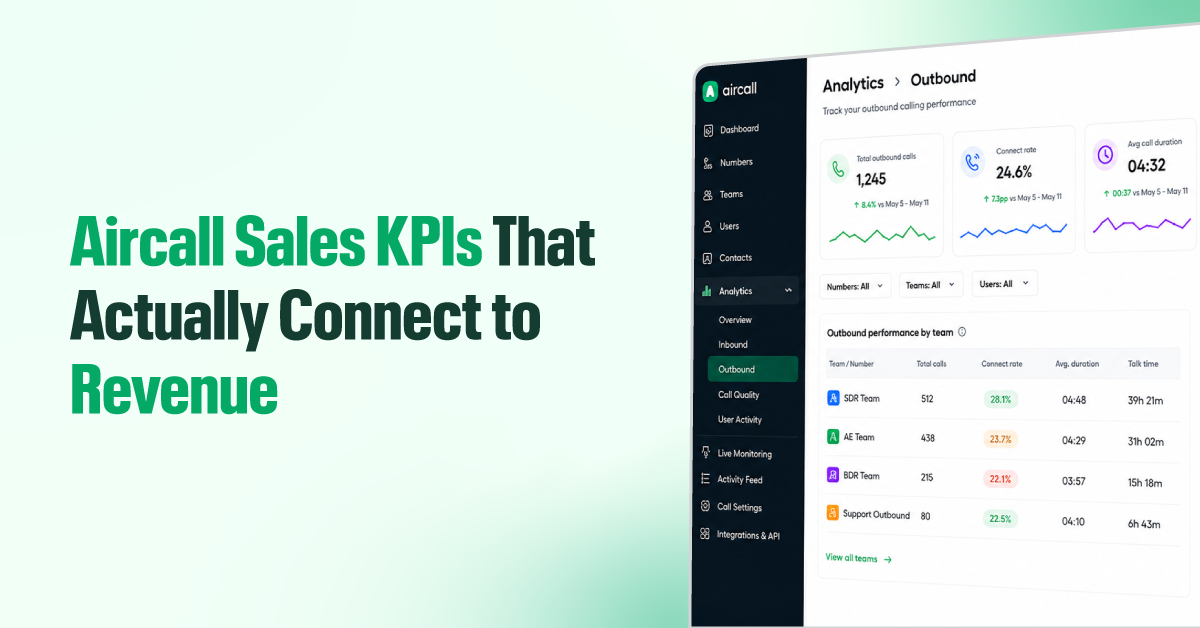
A rep can make 90 calls, stay on the phone for six hours, and book exactly zero meetings. If you’ve ever stared at a screen full of green activity numbers while your pipeline quietly thinned out, you already know the problem isn’t the data. Aircall gives you plenty of that. The problem is that only a few people know which metrics actually matter to revenue and how to use them.
In this blog, you’ll get a simple framework for reading your Aircall metrics so that effort, conversations, and revenue line up in one clear story. And the benchmarks for knowing when a number is worth acting on, and the exact fix for each warning sign.
TL;DR
- Track Aircall sales KPIs in this order: Activity → Quality → Outcome.
- Activity KPIs show whether reps are putting in the work, such as call volume, tag usage, and availability.
- Quality KPIs show whether that effort is creating real conversations, such as connect rate, call duration, talk ratio, and ringing attempts.
- Outcome KPIs show whether conversations are converting into sales, such as conversion rate, first-call close rate, missed calls, and tag trends.
- Set up clean tags first, because accurate outcome data depends on them.
- Use benchmarks as a guide, but focus on spotting changes and working backward to find what caused the drop.
Why Most Sales Teams Track the Wrong Things in Aircall
Aircall gives you a lot of numbers and no default system for knowing which ones actually matter. So most teams end up tracking what’s easy to see, not what’s connected to revenue. Here’s why that happens.
- They mistake activity for results. High call volume feels like progress. But as we saw, a rep can dial all day and book nothing. Volume tells you the effort that went into it.
- They track too many KPIs at once. Aircall surfaces metrics such as connect rate, talk ratio, call duration, missed calls, availability, busy time, and more. Without a system to prioritize, everything feels urgent, and nothing gets acted on.
- Their call data and sales data live in different places. Aircall shows the activity. The CRM shows the results. Most managers never look at both together, so when deals drop, they check call volume, see that it looks fine, and miss what’s really going wrong.
- They’re spread across too many dashboards. Overview, Outbound, Unanswered, User Activity, Live Monitoring, and CRM each show part of the picture. Managers jump between them, pull manual exports, and by the time the dots connect, the week is over.
The Aircall Sales KPI Framework: Activity → Quality → Outcome
The dashboard scatters your metrics across screens and won’t tell you which ones matter. So group them into three layers, and keep the sequence:

- Activity: Are reps putting in the work?
- Quality: Is that work turning into real conversations?
- Outcome: Are those conversations turning into deals?
When something goes wrong, work backward through the layers to find where it started. Here’s why the order pays off.
Say booked meetings drop this month.
- You check Outcome: fewer meetings, confirmed.
- You check Quality: connect rate is fine, people are still picking up.
- You check Activity: call volume is down because two reps spent the week buried in admin.
You found the cause in three steps, and the fix is a change to the process.
Activity KPIs
These metrics tell you whether the effort is happening. They’re the foundation. If this layer is off, nothing above it will make sense.
Outbound Call Volume
This is simply how many calls a rep makes each day or week. It’s your baseline effort metric. On its own, though, it doesn’t tell you much. A rep can make 80 calls and reach nobody.
Always read the volume next to the connect rate. And set targets by role, not a single fixed number for everyone. A cold outbound rep and a warm-lead rep should never share the same daily dial goal.
Tag Adoption and Outcome Distribution
Every call in Aircall can be tagged. Call tags (also called call dispositions) capture what happened: meeting booked, not interested, call back, no answer. Two things matter here:
- how consistently reps tag their calls,
- and how those tagged calls spread across outcomes.
If a large share of calls go untagged, your outcome data is broken. You can’t measure conversion if half your calls have no recorded result. Aircall’s mandatory tagging feature lets you require a tag before moving to the next call, so turn it on if adoption is low.
Agent Availability and Busy Time Ratio
Availability is how much of a rep’s logged-in time is actually spent ready to call.
Picture a rep making 40 calls a day when they could be making 70, because they’re losing 20 minutes between calls to manual notes and CRM updates.
Low availability across the team is almost always a workflow problem. Aircall’s Live Monitoring shows this in real time.
Quality KPIs
Activity tells you how much is going in. Quality tells you whether any of it is landing. High volume with low quality means reps are burning time and getting nowhere.
Connect Rate
Connect rate is the percentage of outbound calls that reach a live person. Dials only matter if someone picks up.
A low connect rate is rarely about rep skill. It usually means a stale list, wrong timing, or calling the wrong people at the wrong hour. It also varies a lot by lead source; cold lists and warm inbound lists will never connect at the same rate. This is the bridge between activity and outcome.
Average Call Duration
Short calls usually mean reps aren’t getting past the opening, or aren’t asking questions that keep the conversation going. Long calls can mean time is being spent on contacts who were never a fit. A sudden shift in average duration usually signals a change in how calls are being run, so compare it across reps and over time to see what’s actually happening.
Agent Talk Ratio
Talk ratio is how much of the conversation the rep is doing versus the prospect. Reps who do most of the talking tend to pitch instead of qualify. Reps who ask questions and actually listen run better discovery and close more. Aircall surfaces this through call recordings and its AI features.
Ringing Attempts
This tracks how often a contact is called before someone picks up, and how often the same contact is dialed in a short window. Too many attempts before a connection usually means timing or list quality is off. Too many calls to the same person in a short window means the cadence is too aggressive.
Outcome KPIs
Call activity connects to real business results in the outcome layer. But these numbers only mean something when the two layers above them (activity and quality) are healthy.
Conversion Rate
Conversion rate is the percentage of calls that result in a win: a booked meeting, a moved opportunity, or a closed deal. Measure it against answered calls, not total dials. That isolates how good your conversations are from how good your list is, since connect rate already handles the list side. Track both separately, and you can see exactly where the funnel leaks.
First-Call Close Rate
First-call close rate is the percentage of deals that close in the very first conversation. Track it over time and by lead source, that’s how you tell a targeting problem from a skills problem. When it’s high, your lead fit is strong, and prospects are arriving ready to buy. When it drops, either the leads are getting weaker, or reps are skipping the qualification steps that make a close possible.
Missed Call Rate
Missed call rate is the percentage of inbound calls that go unanswered before a rep picks up. For a sales team, a missed inbound call is a warm lead that already raised its hand and then walked away. One of the most direct forms of revenue loss in a call-based operation. Look at missed calls by time of day. Spikes at specific hours almost always point to a staffing gap.
Call Tag Outcomes Over Time
One week of tag data is a snapshot; the trend is what tells the story. A slow rise in not interested tags can flag a messaging problem before it ever shows up in revenue. A falling meeting-booked rate warns you that the pipeline is thinning, often weeks before it hits the forecast. This is what turns outcome tracking from a report into an early-warning system.
How to Set Up Your Aircall Sales KPI Dashboard (Step-by-Step)
Aircall doesn’t have a single “KPI dashboard” you switch on. You pull from three places: the Analytics dashboards, Live Monitoring, and your CRM. Here’s how to configure each one so the metrics above are actually trackable.
Step 1: Create your call tags
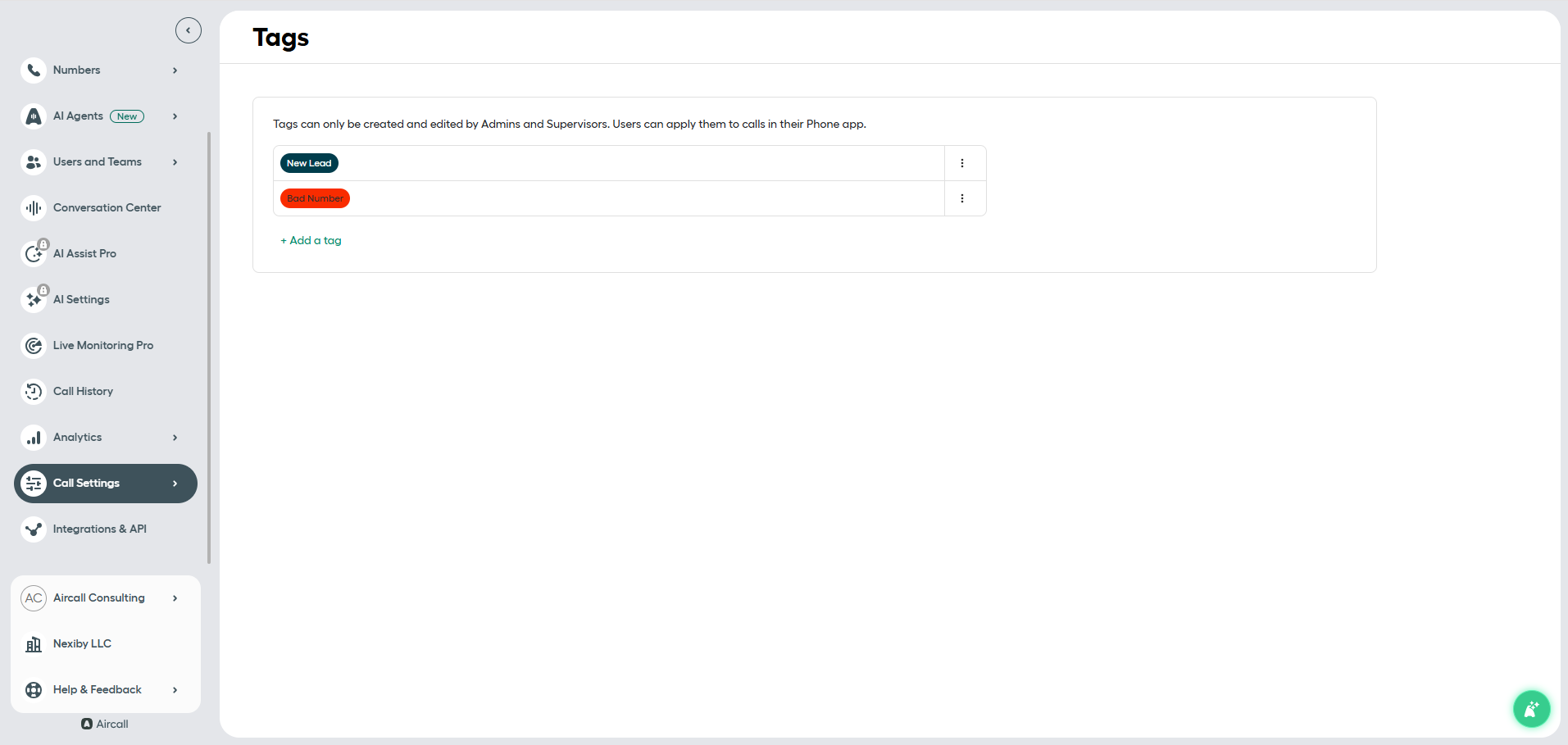
Go to Dashboard → Numbers → select your number → Settings → Call Tags. Add your outcome tags here, and keep it to five to seven: Meeting Booked, Not Interested, Call Back, No Answer, Wrong Contact, and one or two specific to your process. Only Admins and Supervisors can create tags; once created, all users can apply them.
Step 2: Turn on mandatory tagging
On the same settings page, enable Mandatory Call Tagging. This is available only on the Professional and Custom plans. Once active, reps must tag every call before moving on to the next, an untagged call remains unavailable until it’s done. This is one of the most important setup steps. Without it, your outcome data will always be incomplete.
Step 3: Set up your Analytics dashboards
Go to Analytics → Outbound to track call volume, connect rate, and average call duration by rep or team. Then go to Analytics → User Activity to view availability, busy time, and wrap-up time for each agent. Use the date filter to set your review window. Weekly works for most sales teams.
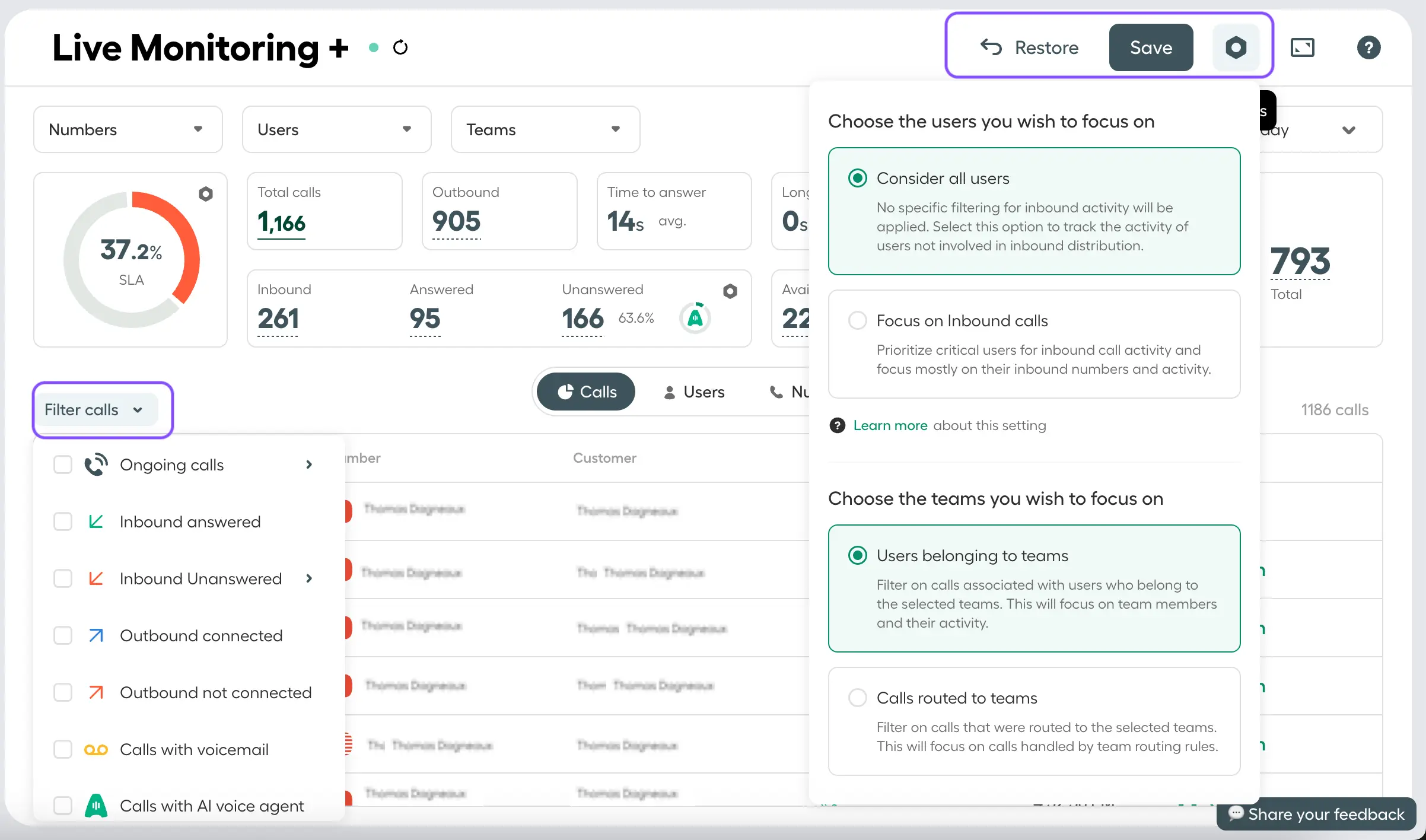
If you’re on the Analytics+ add-on, two heatmaps are worth knowing. The Outbound+ dashboard maps your best times to call and connect, so you can move dials into the windows where prospects actually pick up. The companion Unanswered Calls+ dashboard maps the hours when inbound calls go unanswered, so you can match staffing to demand. Use them together to shift both your calling and your coverage windows.
Step 4: Set up Live Monitoring
Go to Analytics → Live Monitoring. This shows real-time call activity — who’s on a call, who’s available, who’s in wrap-up. Use it during the day to catch staffing gaps before they become missed calls, and in weekly reviews alongside the Outbound dashboard for the full picture.
Step 5: Connect your CRM
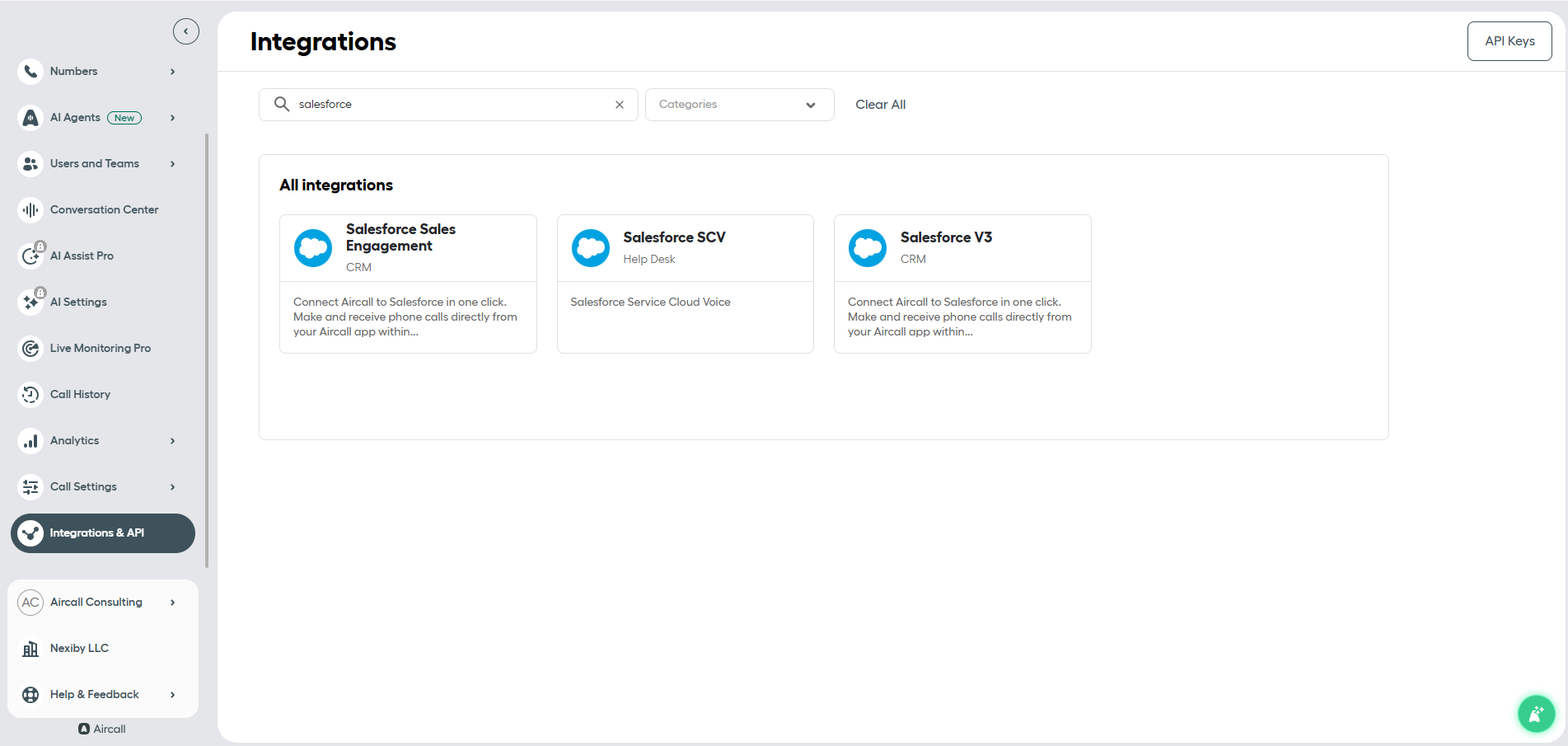
Go to Integrations and connect Salesforce or HubSpot. Once connected, call tags sync automatically to your CRM records — this is what closes the loop between call activity and pipeline. Every tagged outcome becomes a data point you can report on inside your CRM. Salesforce users also get a dedicated Metrics Dashboard built right inside Salesforce, with 18 pre-built call reports (on the v3 integration). HubSpot users get automatic call logging and workflow triggers.
Data Benchmarks: What “Good” Actually Looks Like for Sales Teams
A quick word on where these numbers come from: they’re directional ranges drawn from commonly reported sales-calling patterns, not laws of physics. The right target for your team depends on your lead source, team size, and sales process. A healthy connect rate for a cold outbound team looks nothing like one for a warm inbound team. So treat these as a starting line, and pay closest attention to when your own numbers move up or down.
| KPI | Healthy Range | Warning Sign |
| Outbound Call Volume | 40–80 calls/day (cold) · 20–40 calls/day (warm) | Consistently below role target for 2+ weeks |
| Tag Adoption Rate | 90%+ of calls tagged | Below 80% — outcome data becomes unreliable |
| Agent Availability | 70–85% of logged-in time | Below 60% — workflow or admin bottleneck |
| Connect Rate (cold) | 10–20% | Below 8% — list quality or timing issue |
| Connect Rate (warm/inbound) | 30–50% | Below 25% — timing or routing issue |
| Average Call Duration | 3–8 minutes | Under 2 min or over 12 min consistently |
| Agent Talk Ratio | 40–55% rep talking | Above 65% — rep is pitching, not qualifying |
| Ringing Attempts per Connect | 2–4 attempts | 6+ attempts — cadence or list problem |
| Conversion Rate (cold) | 1–5% of connected calls | Below 1% — messaging or qualification issue |
| Conversion Rate (warm) | 10–20% of connected calls | Below 8% — rep skill or lead fit problem |
| First-Call Close Rate | 10–25% (warm leads) | Falling month-over-month — lead fit degrading |
| Missed Call Rate | Below 5% | Above 8% — staffing or routing gap |
What to Do When the Numbers Go Wrong
Each warning sign above points to a specific fix. Here’s what to do.

What to do when call volume is consistently below target?
Check availability first, because low volume is often a workflow problem rather than an effort one. Review wrap-up time per rep in the User Activity dashboard. If admin is the bottleneck, look at your CRM sync settings and the note-taking process before you assume reps aren’t trying.
What to do when the number of ringing attempts per connect exceeds 6?
Pull the Outbound+ heatmap to find your strongest connect windows, then check the Unanswered Calls+ heatmap for the hours with the most ring-throughs and no answer, and shift your calling windows away from the dead zones. Next, review how often the same contact is dialed in a single day; more than twice and your cadence is too aggressive. Finally, audit the list, because high attempts per connect on a fresh list usually mean wrong numbers or outdated contacts. Clean it before dialing further.
What to do when availability falls below 60%?
Pull the User Activity dashboard and identify which reps are spending the most time in wrap-up. Then check whether the after-call admin can be automated through your CRM integration, and shorten the wrap-up window if it isn’t already capped in settings.
What to do when the connect rate drops below the threshold?
Start with the Outbound+ heatmap to find your worst-performing call windows, and move those dials. Review the list age too, because anything older than 90 days typically sees a sharp drop in connect rate. And if you’re seeing high ring-through with no answer, test a local-presence number before you blame the list.
What to do when the average call duration falls under 2 minutes?
Pull recordings of the lowest-duration reps and listen to the openings, because the problem usually lies in the first 30 seconds. Then run a short objection-handling session focused on keeping prospects on the line past the opener.
What to do when the agent talk ratio goes above 65%?
Pull the call recording first; don’t coach on the number alone. Listen to the first five minutes, since that’s usually where the rep stops asking questions and starts selling. If it’s happening across the team, it’s a process issue, not a personnel one. Run a short session on discovery frameworks and how reps decide when to stop qualifying and start pitching.
What to do when tag adoption drops below 80%?
Enable Mandatory Call Tagging if it isn’t on yet (Dashboard → Numbers → Settings → Mandatory Call Tagging). Then audit the tag list, because too many options make reps skip tagging altogether. Keep it to five or so. If adoption is still low after that, the tags themselves may be confusing, so rename them to match how reps actually describe call outcomes.
What to do when the conversion rate drops?
Split by lead source first. If warm leads are dropping but cold leads hold steady, it’s a lead-quality issue, not a rep issue. If it’s falling across all sources, pull talk ratio and call duration together; weak discovery usually shows up in both.
What to do when the first-call close rate falls month-over-month?
Compare it against lead-source trends, since a shift in where leads come from often explains the whole thing. If the lead mix is stable, the issue is likely qualification: reps are moving too fast and skipping the steps that make a clean close possible.
What to do when the missed call rate spikes above 8%?
Open the missed-calls-by-hour view and find the spike window. Check staffing against demand for that window and adjust routing or schedules to match. You can also set up call routing rules in Aircall to automatically distribute overflow to available reps.
What to do when call tag trends shift?
Don’t wait for revenue to confirm the problem; act on the trend. Review your outbound messaging and sequence, because a slow drift in tag outcomes usually signals a messaging mismatch before anything else does. Then compare the trend against any recent changes to targeting, messaging, or lead source.
The Bottom Line
More metrics won’t fix a pipeline problem. The Activity → Quality → Outcome framework means that when a result drops, you know exactly which layer to check and what question to ask. You stop guessing and start fixing.
The benchmarks give you the context to tell a number worth acting on from ordinary noise. A dip in connect rate means something very different from a dip in first-call close rate, and now you can tell them apart. And every warning sign has a specific next move, so you never sit on a red flag waiting for the forecast to confirm what the data already told you.
If you do just one thing this week, set up your call tags and turn on mandatory tagging. Clean outcome data is the foundation on which everything else stands, and most teams are missing it. From there, the real shift is to make all three layers visible in one place rather than scattered across five dashboards and a CRM. The teams that get the most out of Aircall aren’t tracking more. They’re tracking smarter, acting faster, and coaching on what actually moves revenue.