Sign up for a FREE trial here

Never Lose Another Call to Broken Routing with Aircall Smartflows Setup

You bought Aircall to route calls like a serious operation. Right now, it routes them like a maze. A certified Smartflows specialist designs and builds your entire call flow for you, IVR, time rules, CRM routing, fallbacks, live in days, and tests it before it ever touches a real customer.

Free 30-minute scoping session. We map your routing, flag the gaps, and quote the build. No pitch deck, no pressure.

The Smartflows Widgets and What Each One Actually Does

Before we build anything, here is the full toolkit in plain language. Every widget is correctly named, so you can follow along and know what we are placing and why.

Audio Message widget icon: a megaphone with sound waves linked to a phone in an Aircall Smartflow

Audio Message

Plays text-to-speech or your uploaded audio to the caller. Handles greetings, closures, and instructions.
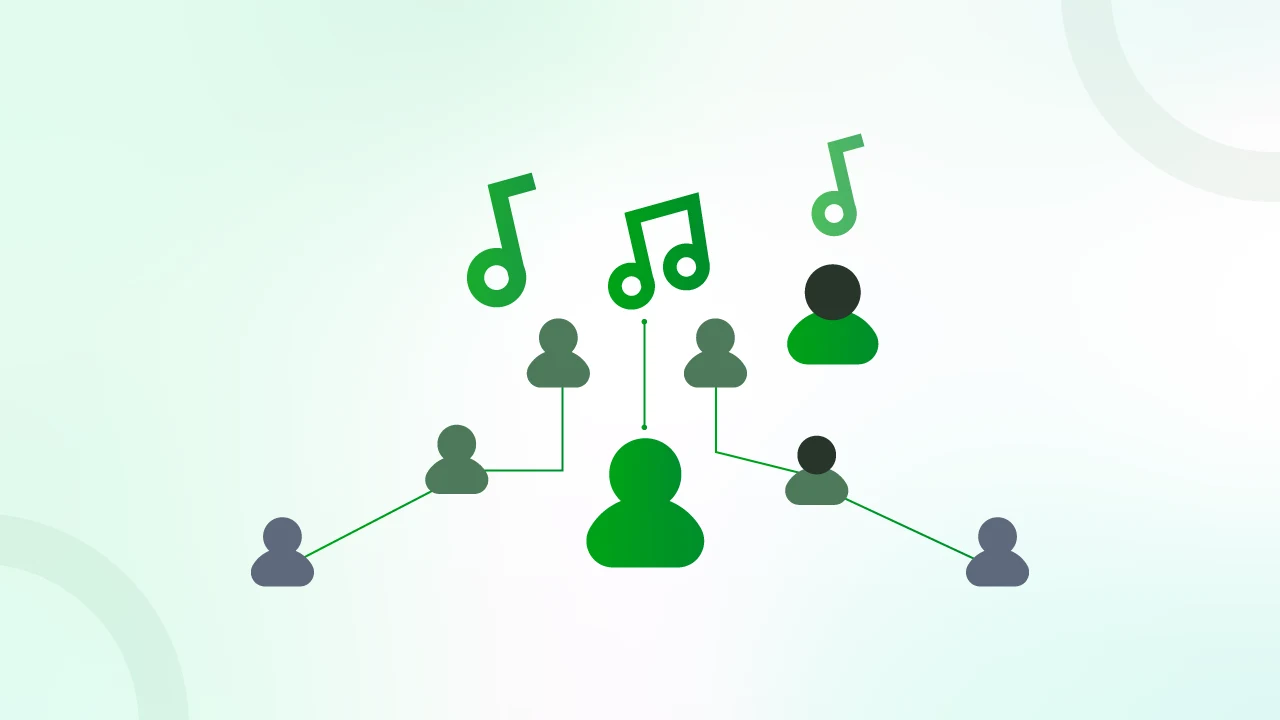
Connected caller icons with music notes above a central hub in an Aircall Smartflows waiting music diagram

Waiting Music

Plays hold music from the Aircall library or your own uploaded .mp3 while callers wait in the queue.
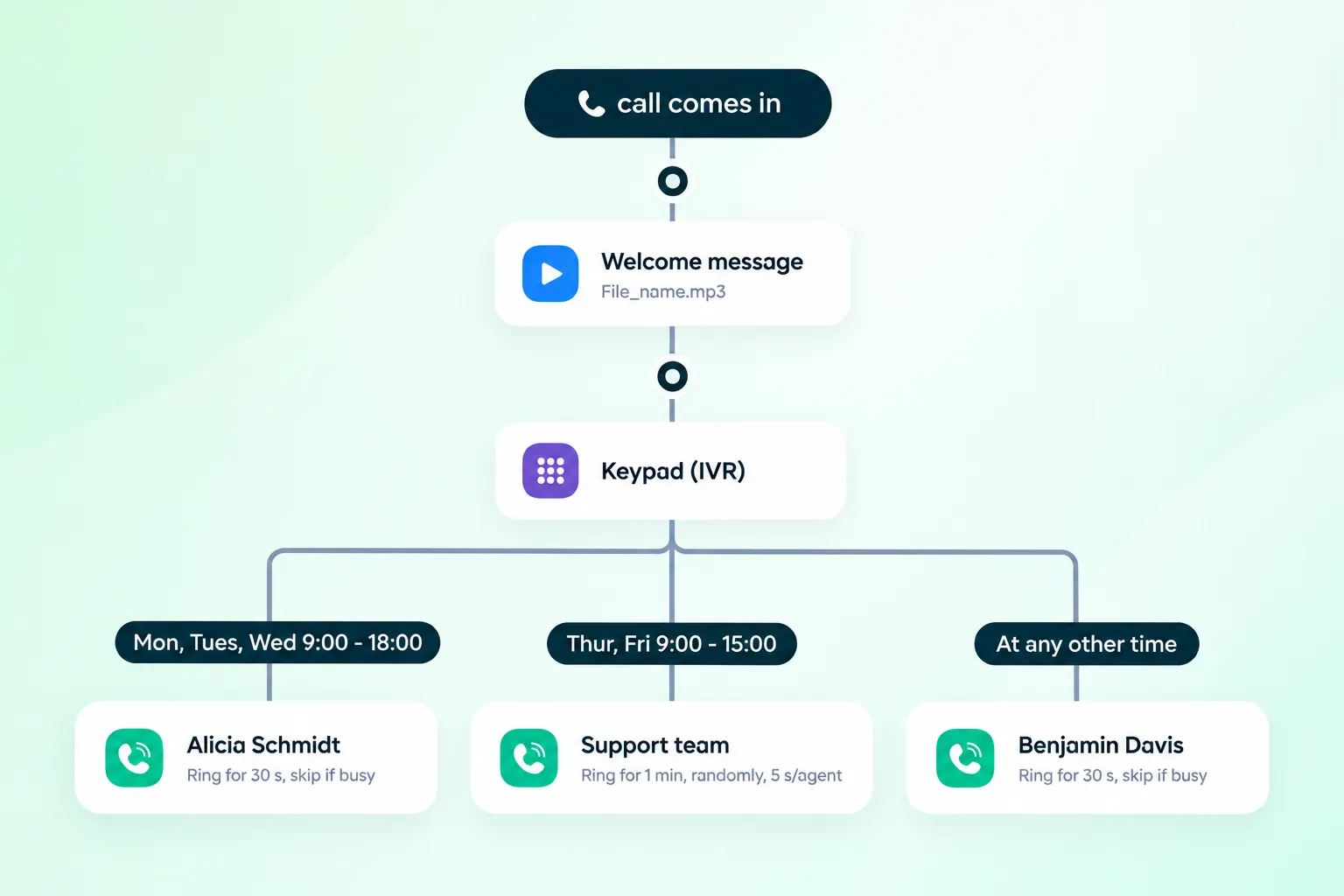
Aircall Smartflows IVR flow diagram with welcome message, keypad menu and time-based routing branches

Standard IVR

The single-digit keypad menu. Press 1 for sales, 2 for support, and so on. Your automated attendant.
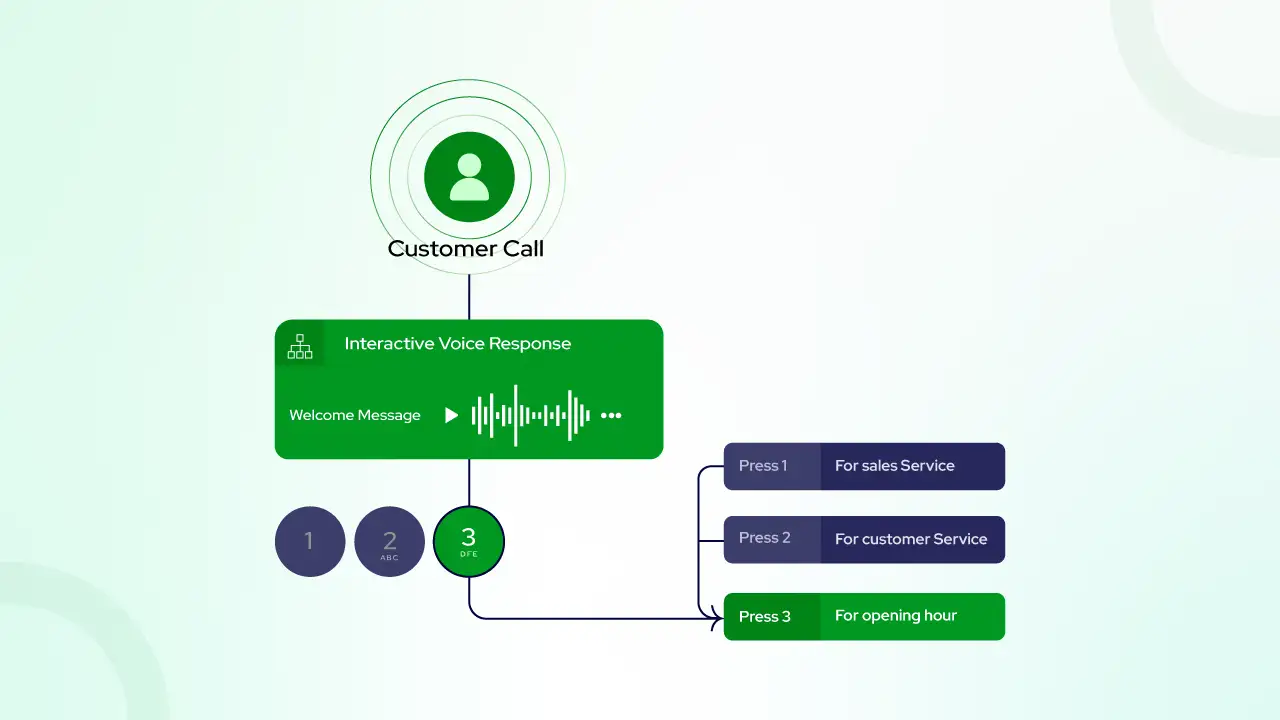
Call flow diagram showing a Smartflows IVR greeting branching on keypad presses 1, 2 and 3

Input IVR

Captures caller keypad input for dynamic decisions, such as account numbers or menu selections beyond a simple branch.
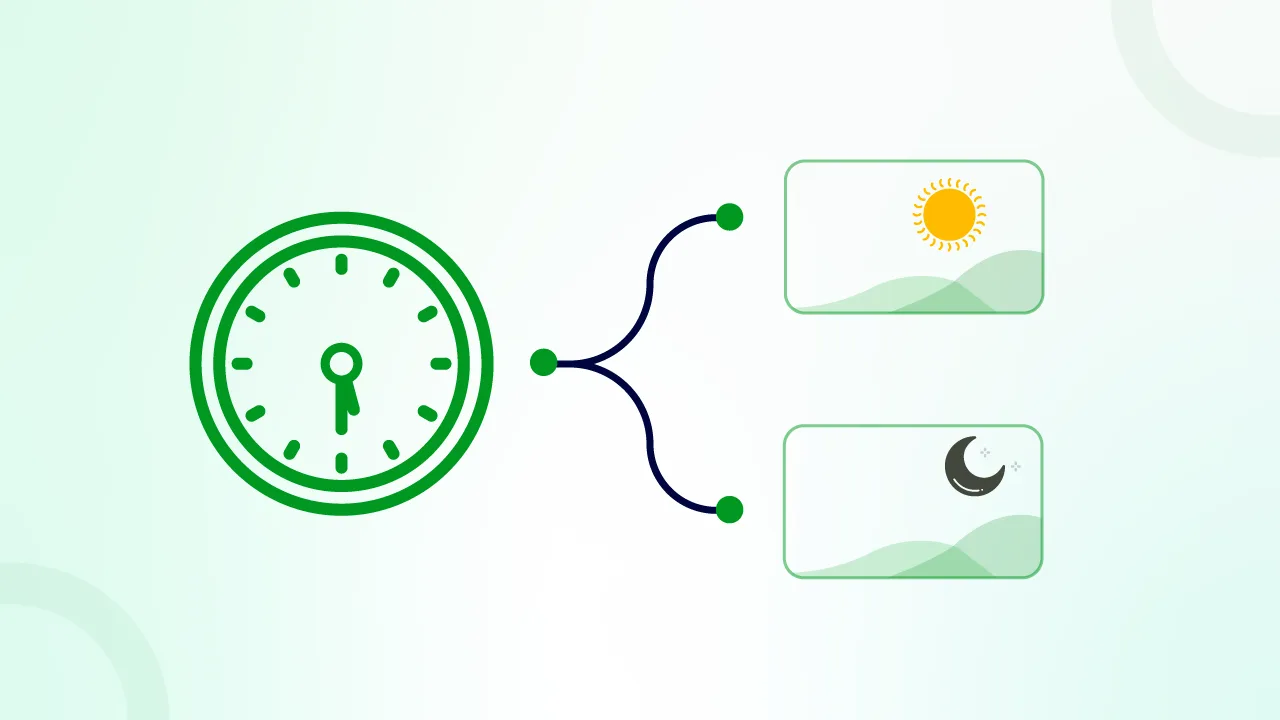
Green clock branching to sun and moon panels, showing Time Rule call routing in Aircall Smartflows

Time Rule

Time-based routing down to hourly and 30-minute precision. Powers’ business hours, after-hours, lunch coverage, and holidays.
Ring To widget with two user icons and a team icon for Aircall Smartflows routing

Ring To

Sends the call to a user, a team, or an external number. Supports cascading and simultaneous ring rules.
Ring-To via API widget routing a caller from a phone through the API to an agent

Ring-To via API

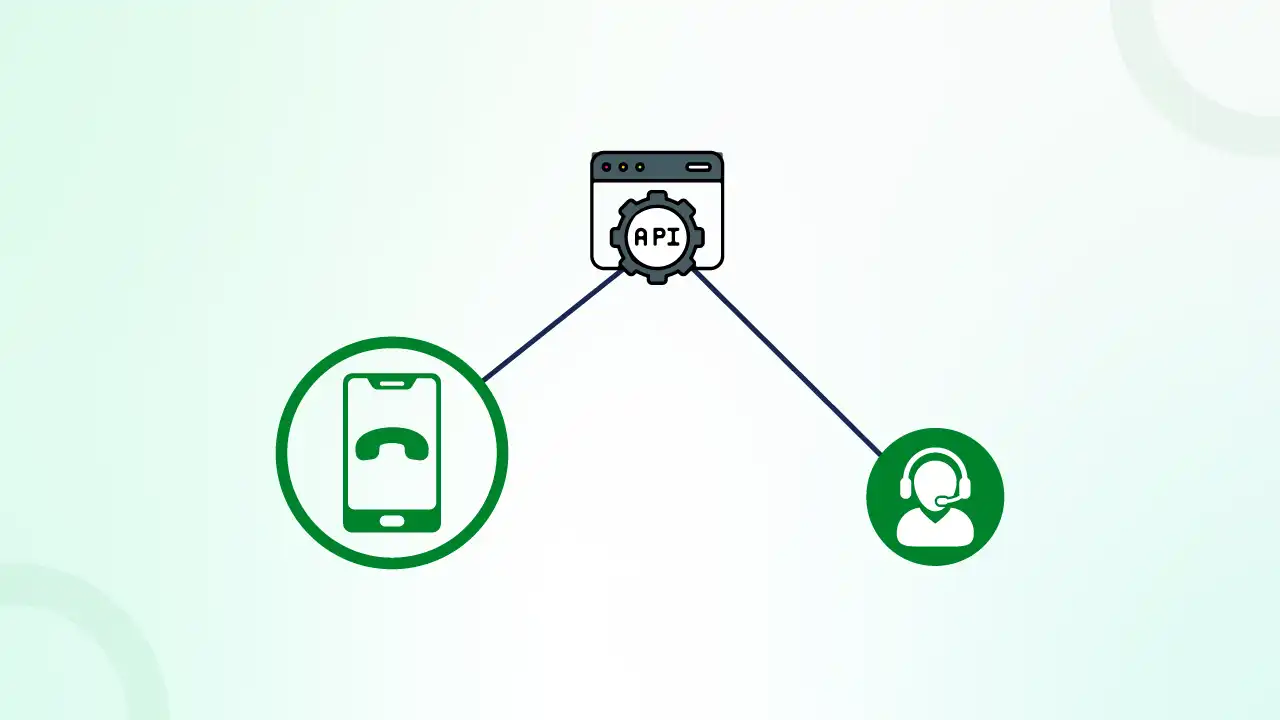
Dynamic routing that queries your CRM in real time to send a caller to their assigned owner.
Green envelope icon with microphone badge, the Aircall Smartflows voicemail widget

Voicemail

Captures a message when no agent answers, with a custom prompt and optional after-hours behavior.
Green figure icon with arrows branching into two call routing paths for Aircall Smartflows

Fallback

Catches the No input and Wrong input branches, so no caller ever hits a dead end.
Message and audio widgets set the tone. Menu widgets decide the path. The timing widget decides when. Routing widgets decide who. The fallback widget makes sure nobody falls through the cracks. Get the order right, and the flow feels effortless to the caller. Get it wrong, and they hang up.

Build Flawless Smartflows for a Smooth Pipeline

Here is the core of what we deliver. Every element below exists to do one thing: keep a live caller connected to the person who can help them, and off your revenue leak list for good.

Custom IVR and Keypad Menus

We design the perfect automated attendant. Sales go one way, support goes another, and neither steps on the other. Clear prompts, logical branches, and a menu short enough that callers actually finish it. No loops. No orphaned options.

Advanced Time and Holiday Rules

Coverage that never sleeps. We build follow-the-sun routing, business-hours logic, and holiday exceptions with voicemail fallbacks, so a 2 am call gets handled with grace rather than dead air. Set once, correct forever.

CRM Smart Routing Integrations

We connect Aircall to HubSpot or Salesforce, so your VIP clients skip the queue entirely. Known contacts route straight to their owner. New callers flow through the standard menu. Your best accounts feel like they have a private line, because functionally, they do.

Ring Group Optimization

Your sales floor answers faster. We configure cascading or simultaneous ring rules that match how your team actually works, so calls do not stall on one busy rep while three others sit idle.

Smart Routing via API

Using Ring-To via API, we route callers directly to their dedicated account manager based on data already stored in your CRM. The caller never picks a menu option. The system already knows who they are and where they belong.

Sample Flows You Can Copy

Aircall Smartflow diagram routing an inbound call through time rules, IVR, and voicemail

Inbound Sales Flow

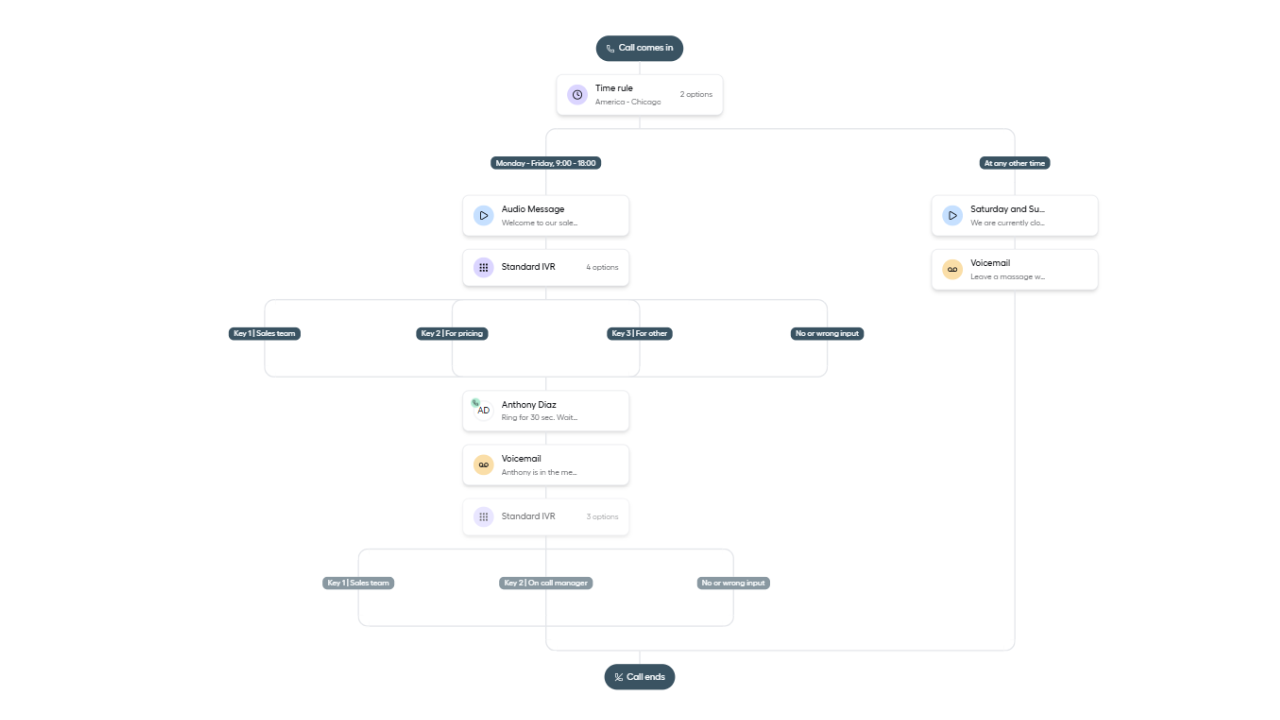
Maximize your speed-to-lead and ensure zero leaked leads. This workflow combines Business Hours Time Rules with a crisp Standard IVR menu and Simultaneous Ring Groups to get reps on the phone instantly. If all reps are busy, a Fallback widget routes the prospect directly to an on-call manager instead of a dead-end voicemail.
Aircall Smartflows call flow template with a time rule, IVR menu and voicemail fallback

24/7 Support Flow

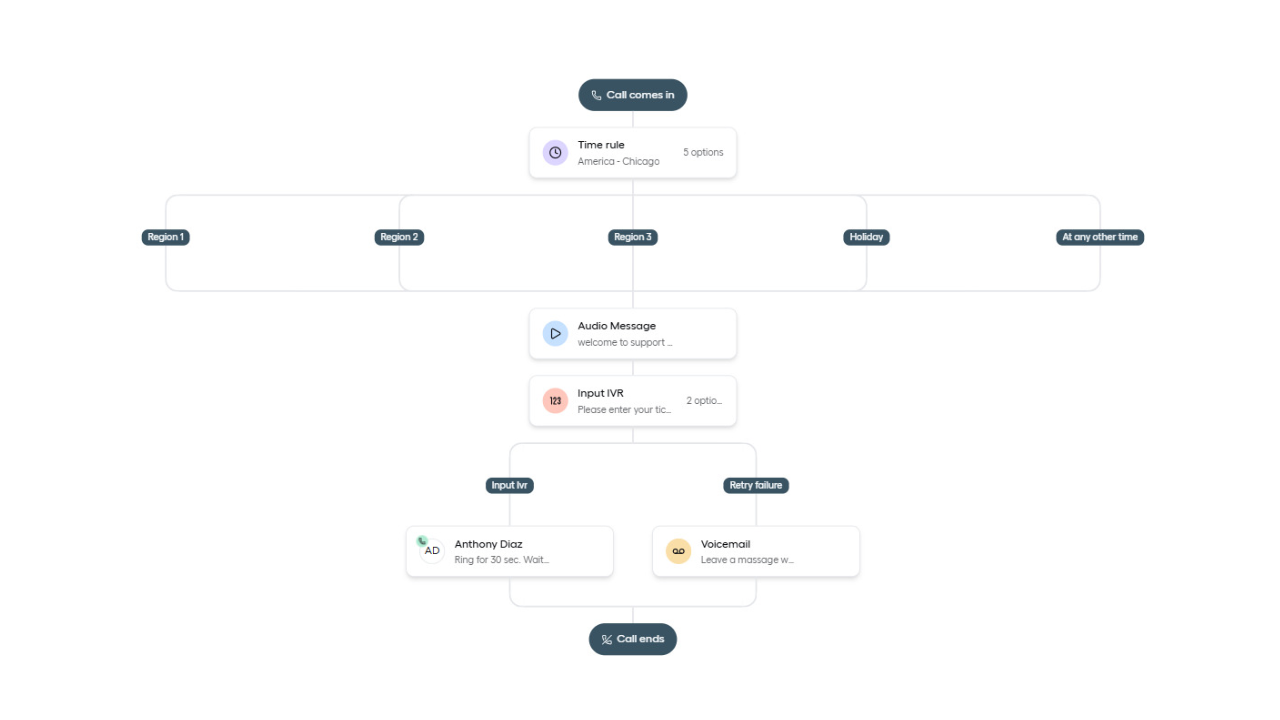
Eliminate ticket backlogs across global time zones. This architecture uses Advanced Time Rules to route callers to active regional teams (Follow-the-Sun), asks for ticket verification via Input IVR, and relies on Cascading Ring routing so your office stays quiet and agents aren’t constantly interrupted.
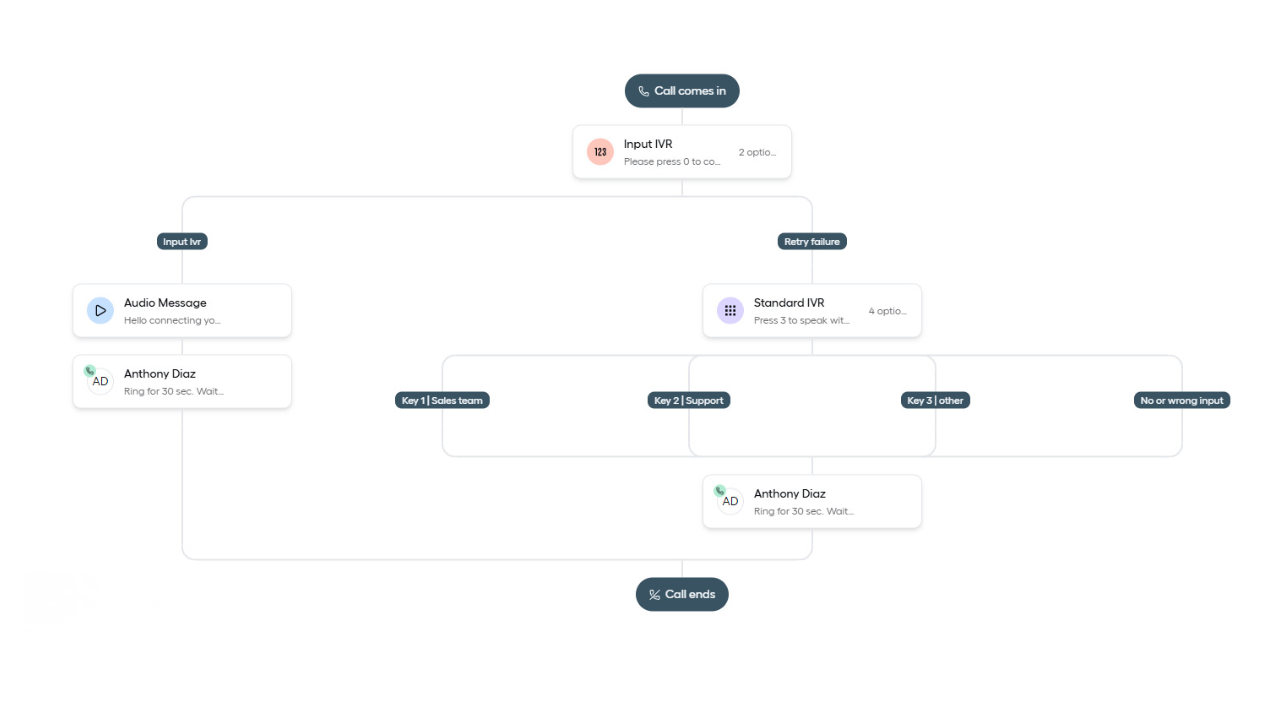
Aircall Smartflows diagram routing an incoming call through IVR menus to ring Anthony Diaz

Account Management Flow

Deliver a white-glove VIP client experience. This workflow utilizes the Ring-to via API widget to instantly ping your CRM (HubSpot/Salesforce). When a VIP number is recognized, the flow bypasses the standard queue entirely and routes the call directly to their dedicated Account Manager.

See the ROI of Optimized Aircall Routing

Every misrouted call is a cost you already paid for and threw away.

A lead who reaches your best closer converts at a different rate than one who hits voicemail. A support caller who lands in the right queue on the first try does not escalate, does not churn, does not tie up two agents. A VIP who skips the line renews without a second thought.

Routing is not plumbing. It is the first impression, the first response time, and the first save, all decided in the three seconds before a human says hello. We build that moment to work in your favor.

Set up Best Practices That Prevent Caller Frustration

We do not just build flows. We build flows that respect the person on the other end of the line. These are the rules we never break.

Good routing is invisible. The caller just gets to the right place and forgets the menu ever existed. That is the standard we build to.

Ready to Build Smartflows That Never Drop a Caller?

Your team should not lose leads to dead-end menus, missed transfers, or after-hours voicemail black holes.

We design and build your full Aircall Smartflows setup with IVR, time rules, CRM routing, and fallbacks, then test every branch before a real customer ever hits it.

Start with one flow, one clean map, and routing that sends every caller to the person who can actually help.

Frequently Asked Questions

It depends on complexity, and we quote it on the scoping call so there are no surprises. A single-branch business-hours flow is a small, fixed engagement. A multi-branch IVR with CRM routing and a legacy migration is larger. You get the number before you commit, not after.

Roughly one hour total on your side. The scoping call, plus a short design confirmation. We do the building. You do not sit in the editor with us.

Neither. We build for lean SMB teams that need one clean flow and for mid-market operations juggling multiple branches, time zones, and CRM logic. The scoping call tells us how many minutes you are in.

Yes. Migration is one of the most common builds we run. We rebuild your existing logic in Smartflows, test it in parallel against real-world data, and cut over only once it matches or improves on what you had. Callers notice nothing except that it works better.

Work with an Aircall Consultant to Route Smarter, Grow Faster

Get in touch for a quick and easy answer.

This field is hidden when viewing the form

Work with an Aircall Consultant to Route Smarter, Grow Faster

Get in touch for a quick and easy answer.

This field is hidden when viewing the form